
Is Snaptik Safe to Use? Everything You Need to Know
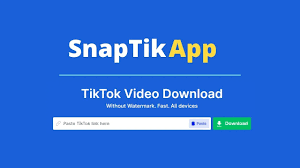
Have you ever come across a mind-blowing TikTok video and wished to download it—without that annoying watermark? Well, Snaptik might have popped up in your search. But before you dive in and hit that download button, one question probably lingers: Is Snaptik safe to use?
Let’s explore everything there is to know about Snaptik—from how it works to whether it’s truly secure for your device and privacy.
What is Snaptik?
Snaptik is a free online tool that allows users to download TikTok videos without the watermark. You don’t need to install any software—just copy the TikTok video link, paste it into Snaptik’s input box, and boom! Your video is ready for download.
It supports multiple video qualities and formats, and it works across devices—PCs, Androids, and even iPhones.
Why is Snaptik Popular?
The main reason Snaptik has exploded in popularity is its simplicity. You don’t need to log in, pay, or install an app (if you use the web version). It’s fast, it’s user-friendly, and it removes the watermark, which is a major bonus for content repurposers.
Here’s why people love it:
- Clean downloads without TikTok branding
- No sign-up or personal info required
- Compatible with almost every device
- Doesn’t compress video quality
How Does Snaptik Work?
Using Snaptik is super straightforward:
- Go to TikTok, copy the video link.
- Visit the official Snaptik website.
- Paste the link in the box and press “Download.”
- Choose from available options (HD, MP4, no watermark, etc.).
- Your download begins.
It’s that easy. But is “easy” always safe?
Is Snaptik Legal to Use?
Now this is a tricky area.
Downloading videos from TikTok is technically allowed only for personal use. If you’re reposting someone else’s content without permission—even without a watermark—you could be violating copyright laws or TikTok’s Terms of Service.
So, Snaptik itself isn’t illegal, but how you use the content can be.
Pro tip: Always credit the creator or get permission before reposting.
Safety Concerns Around Snaptik
This is where things get serious. Let’s break down the most common concerns users have.
1. Malware Risks
One of the biggest fears when using free downloaders is that they could be a breeding ground for malware. And yes, that fear is somewhat valid.
Snaptik doesn’t directly install malware, but if you accidentally click shady ads or download from a fake mirror site, you might end up with something nasty on your device.
2. Data Privacy Issues
Snaptik doesn’t ask for personal info, which is a plus. But it’s still unknown how your interaction data might be stored or tracked by third parties, especially via ad networks on the site.
Some versions of Snaptik might use cookies or track usage analytics for advertising purposes.
3. Pop-up Ads and Redirects
Let’s be real—pop-up ads are annoying, and Snaptik is full of them. These pop-ups could lead to suspicious websites, adult content, or misleading download buttons. A single wrong click can spiral into a security headache.
Is Snaptik Safe to Use on Mobile Devices?
This depends largely on your operating system and browsing behavior.
Snaptik on Android Phones
Android users are at higher risk, especially if you’re tempted to download the Snaptik APK from third-party sources. These APKs could be modified with malicious code.
Recommendation: Stick to the web version instead of downloading any APK.
Snaptik on iPhones (iOS)
Apple’s strict security system prevents unauthorized downloads, which means iPhones are generally safer. You’re more likely to use Snaptik through Safari, where the risk of malicious downloads is lower.
Still, watch out for redirects and pop-ups.
How to Use Snaptik Safely
Want to use Snaptik without risking your device or data? Follow these best practices.
1. Use Antivirus Protection
Always have updated antivirus software on your device. If something sneaky tries to sneak in, your antivirus will raise the alarm.
2. Use the Official Site
Avoid fake clones! Only use the official site (https://snaptik.as) to avoid sketchy redirects or corrupted downloads.
3. Avoid Downloading APKs from Unknown Sources
Unless you’re 100% sure of the source, never install Snaptik APKs from unofficial websites. These are prime spots for spyware, ransomware, and other malware.
Pros and Cons of Using Snaptik
Let’s weigh the good and the not-so-good.
Pros of Snaptik
- Free and fast video downloads
- No watermark on videos
- No account required
- Works on most devices
Cons of Snaptik
- Risk of unsafe pop-up ads
- No guarantee of data security
- Legal grey area with copyrighted content
- Potential for malware if misused
What Users Say About Snaptik
Online reviews and forums show mixed reactions. While most users love its convenience, others raise red flags about security issues.
Some common feedback includes:
- “Great for quick downloads, but the ads are annoying.”
- “I accidentally clicked a pop-up and had to reset my browser.”
- “Works well, but I wouldn’t use it without antivirus.”
Alternatives to Snaptik
If Snaptik feels a bit risky, here are some solid alternatives:
1. SSSTikTok
A popular TikTok downloader with a similar interface and watermark removal.
2. SaveTT
Offers clean downloads, fewer ads, and supports multiple formats.
3. MusicallyDown
Another user-friendly TikTok video downloader with a watermark-free option.
Tips to Stay Secure While Downloading TikTok Videos
- Use ad blockers when browsing downloader sites.
- Avoid entering personal data or installing extensions.
- Clear your browser cache regularly.
- Download from trusted sources only.
- Keep your device updated for the latest security patches.
Final Thoughts
So, is Snaptik safe to use?
It can be, but only if you’re cautious. The tool itself is pretty handy, and it does what it promises. But like many free tools, the risk lies in how and where you use it.
Stick to the official website, avoid dodgy pop-ups, and protect your device with security software. And remember—just because you can download a TikTok video, doesn’t mean you should repost it without credit.
Use wisely, stay safe, and enjoy your watermark-free content!
FAQs
1. Can Snaptik steal my data?
Snaptik doesn’t ask for personal data directly, but third-party ads could track behavior. Use it cautiously and with security tools.
2. Is Snaptik free to use forever?
Yes, it’s currently 100% free, but always keep an eye out for potential changes or premium versions in the future.
3. Can Snaptik be used on desktop?
Absolutely. You can access Snaptik via any modern browser on your desktop.
4. Are there any Snaptik mobile apps on the Play Store?
There are some apps claiming to be Snaptik, but many aren’t official. Always use the web version to be safe.
5. What should I do if I accidentally download a malicious file?
Run a full antivirus scan immediately. Remove the file, reset browser settings, and avoid using that download source again.

Basanti Brahmbhatt
Basanti Brahmbhatt is the founder of Shayaristan.net, a platform dedicated to fresh and heartfelt Hindi Shayari. With a passion for poetry and creativity, I curates soulful verses paired with beautiful images to inspire readers. Connect with me for the latest Shayari and poetic expressions.